Built by
collaborators,
for collaborators.
Experience the most powerful creative studio designed specifically for high-performance teams. Real-time syncing, advanced versioning, and seamless workflow integration.
Render Speed
2.4x Faster
Or use it as a Web App
Install IAM Studio directly from your browser — it works like a native app with offline support, push notifications, and instant access from your dock or home screen.
Manual Installation Guide
Follow these steps for your browser:
- 1
Open IAM Studio
Navigate to
app.iam-suite.comin Chrome or Edge. - 2
Click the install icon
Look for the install icon (⊕) in the address bar, or open the browser menu (⋮) and select "Install IAM Studio".
- 3
Confirm installation
Click "Install". The app will open as a standalone window and be added to your applications.
Instant Access
No app store download needed
Push Notifications
Stay updated in real-time
Always Up-to-Date
Auto-updates, no manual patches
Technical Specs
Operating Systems
macOS 12.0 or later (Apple Silicon & Intel);
Windows 10 64-bit or later
Processor
Multi-core Intel or AMD (64-bit);
Apple M1/M2/M3/M4 native support
Memory
4GB RAM minimum (8GB recommended)
Disk Space
350 MB available disk space
Runtime
Electron 31 (Chromium 126)
Network
Broadband internet connection required for real-time collaboration and sync
Release Notes (v1.1.7)
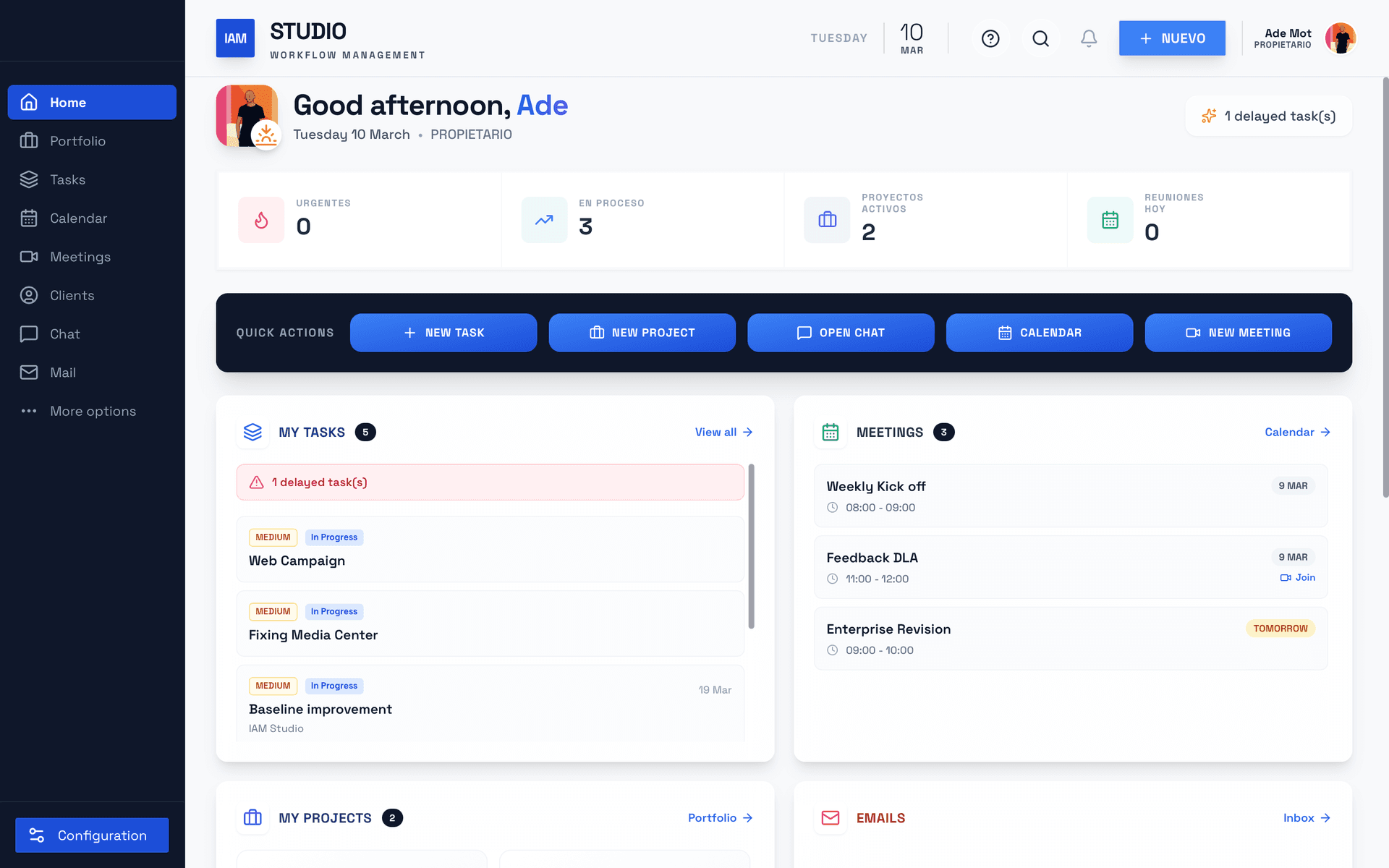
Unified Dashboard — Personalized home screen with project stats, task widgets, and activity feed.
Project Management — Kanban boards, Gantt charts, WBS breakdowns, milestones, and file sharing.
Chat & Video Meetings — Real-time messaging, threads, and 1-click video calls with AI summaries.
IAM AI Assistant — Context-aware AI for task suggestions, content generation, and workflow automation.
Client Portal — Secure space for external stakeholders with project visibility and onboarding flows.
Finance & Budgets — Budget management, PDF export, multi-currency support, and profitability tracking.
Automations — Rule-based workflow automation with custom triggers, conditions, and event logging.
Advanced Analytics — Intelligence-driven dashboards with profitability, productivity, and EVM insights.
Inventory & Whiteboards — Asset management module and collaborative canvas for visual brainstorming.
Performance & Security — Optimized loading, code splitting, enterprise-grade encryption, and audit logs.